
Step by step on how to install the Jeep JL Roof Rack. Please read all steps carefully before starting the install.
Installation Video: https://www.youtube.com/watch?v=wZCSJ0A8vQI
Questions or Support:
Phone: 269-353-1184
Email: info@jcroffroad.com


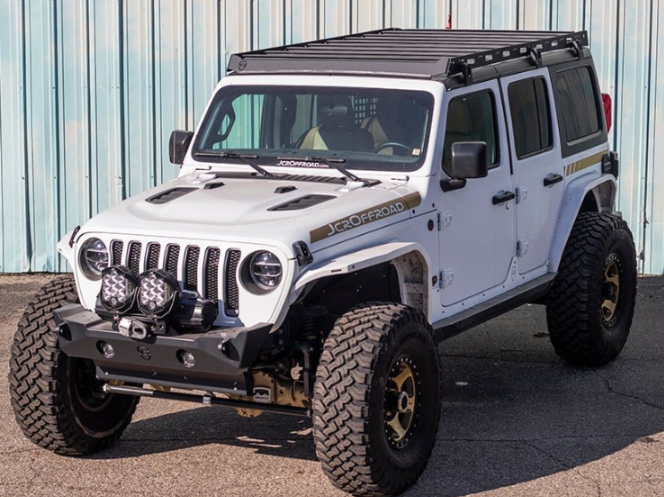
Step by step on how to install the Jeep JL Roof Rack. Please read all steps carefully before starting the install.
Installation Video: https://www.youtube.com/watch?v=wZCSJ0A8vQI
Questions or Support:
Phone: 269-353-1184
Email: info@jcroffroad.com
Check that you have all of the parts shown before starting.

Check that you have all of the hardware shown before starting.


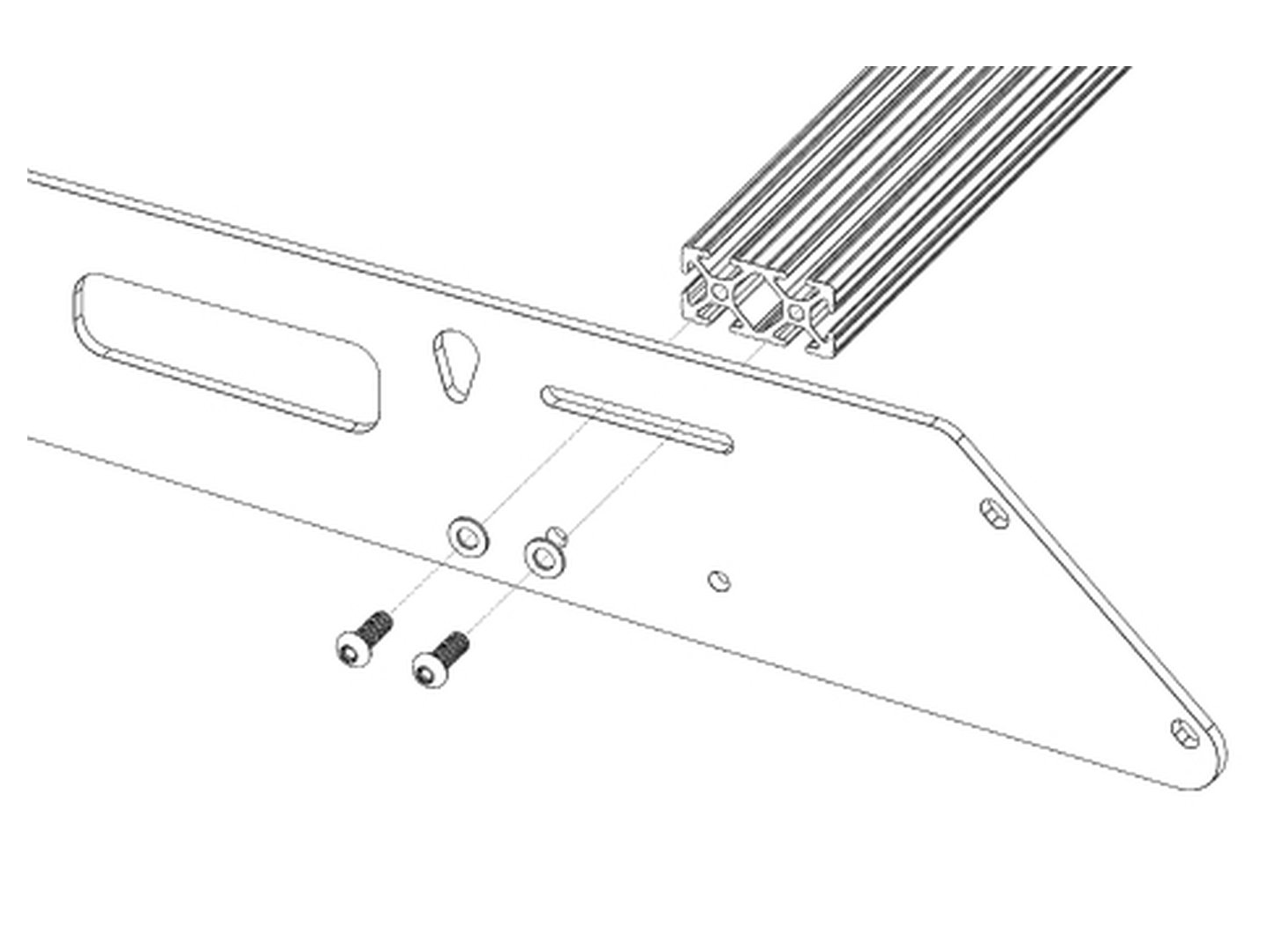
Assemble the rack on the ground. Mount the crossbars between the 2 side rails with 1/4-20 x 3/4 in button head bolts and 1/4 in ID washers, 2 per bar per side. The machined slot in the crossbar rail faces up so you can add t-nuts for gear later.
Video timestamp: 0:46


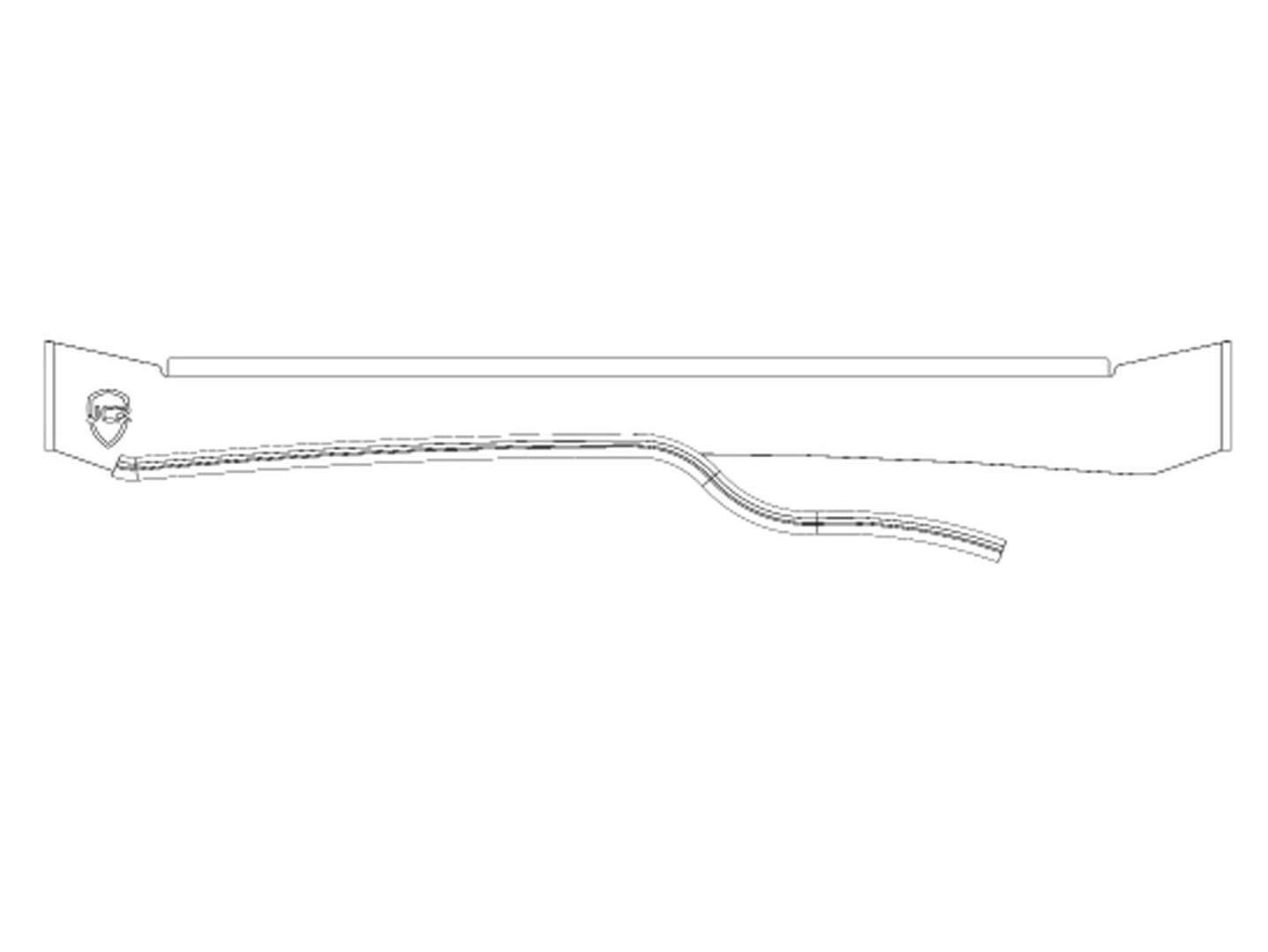
Mount the trim strip on the bottom edge of the front fairing, starting just outside the peak of the bottom edge and ending at the matching point on the other side. Cut off the extra, cut that piece in half, and mount the 2 pieces on the rear fairing's bottom edge where it touches the roof.
Video timestamp: 2:25


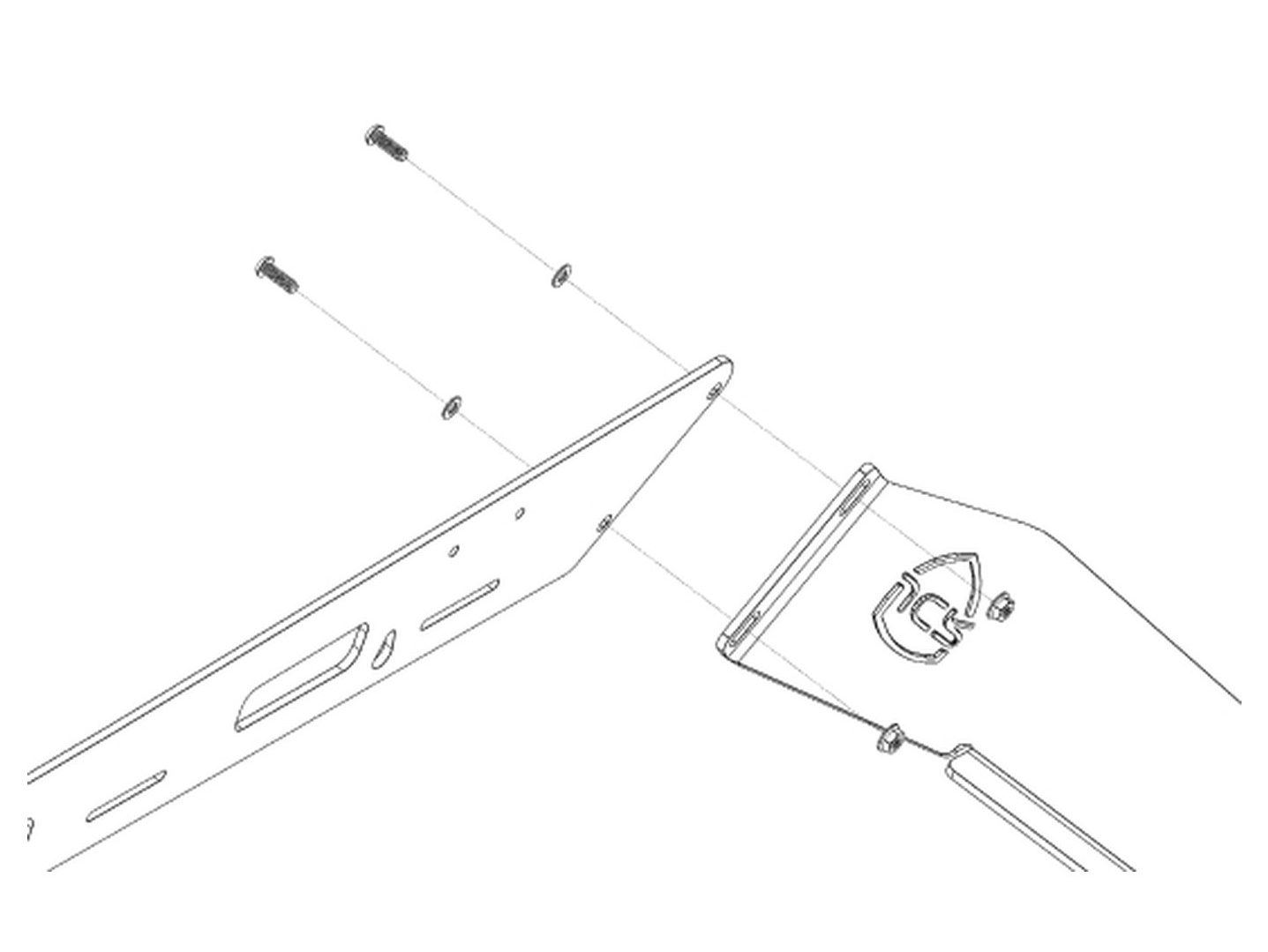
Mount the front and rear fairings with 1/4-20 x 3/4 in button head bolts, 1/4 in ID washers and serrated flange nuts: 2 of each per side on each fairing. Slide the front fairing all the way up to clear the roof and leave the bolts loose enough to adjust once the rack is on the roof.
Video timestamp: 2:58


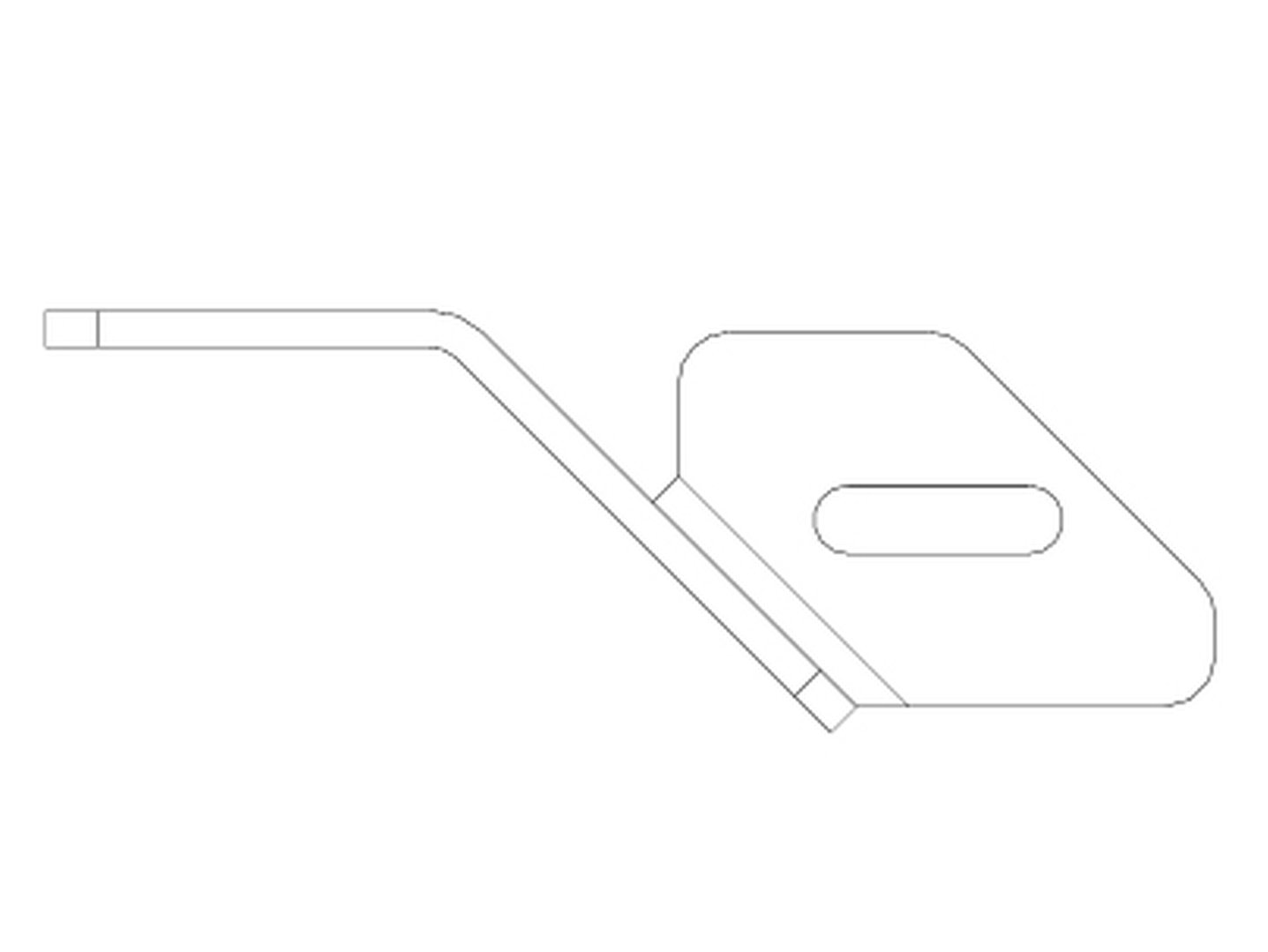
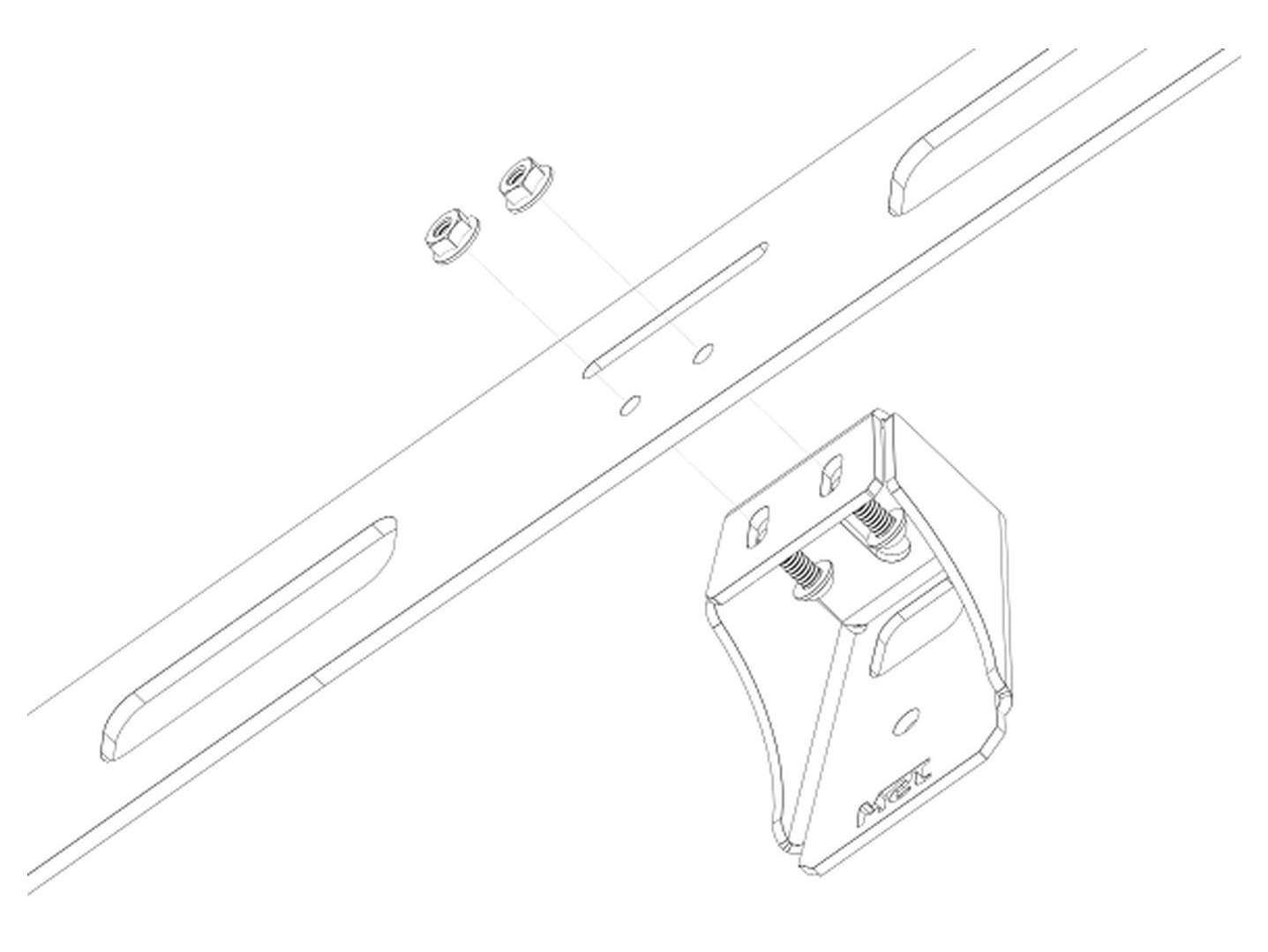
Attach the inner mounts to the outside of the side rails with 1/4-20 x 3/4 in button heads, 1/4 in ID washers and flange nuts, using the 1st, 3rd and 4th sets of holes. Set the bolt at the top of the slot, snug but adjustable. Apply the small edge trim, cut to 3 in, to the bottom edge of the 6 mounts that sit in the hardtop gutter.
Video timestamp: 3:45


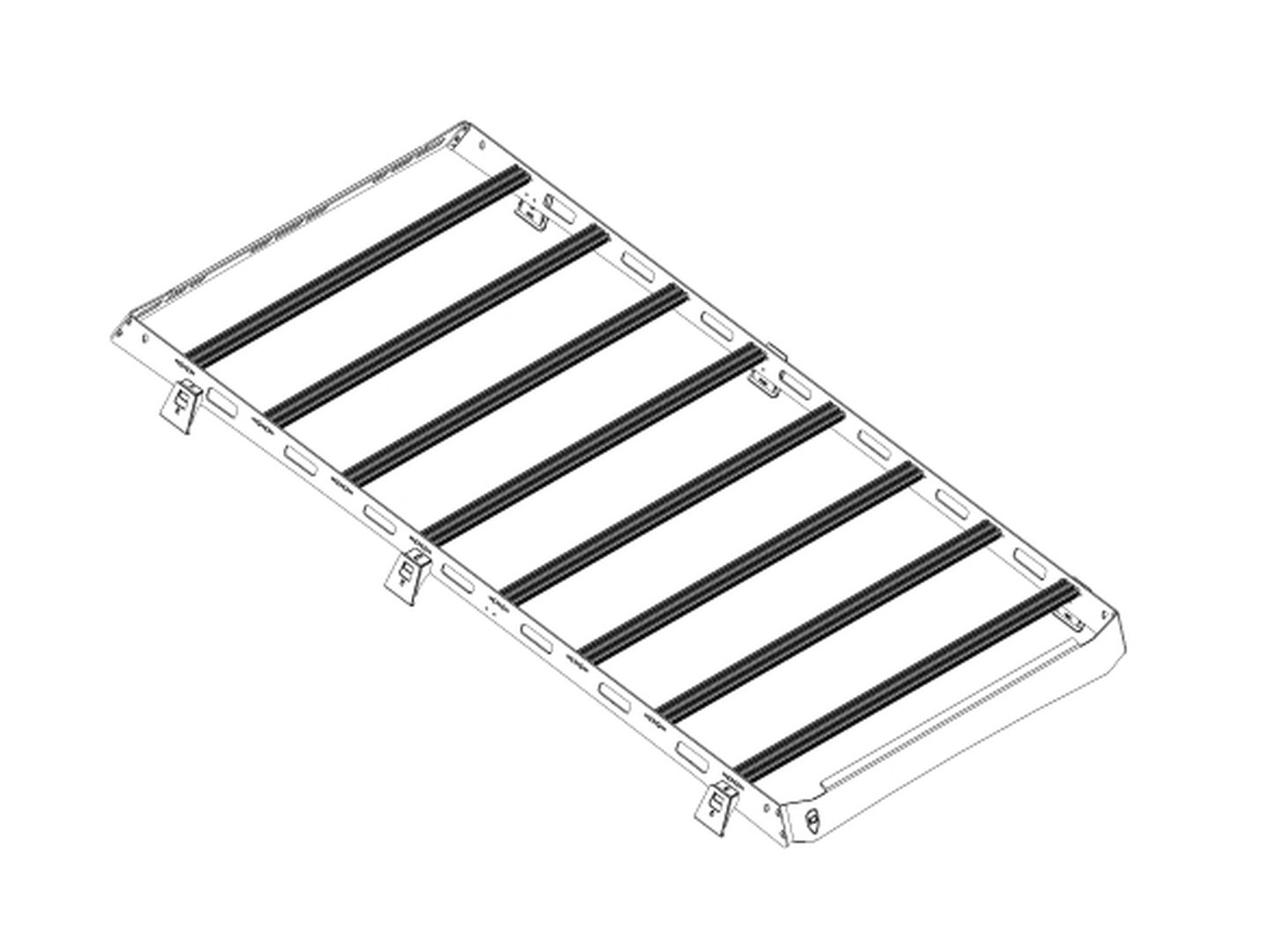
Set the assembled rack on your roof with the mounts inside the rain gutters. We recommend positioning it behind the Freedom Panels so the front fairing sits just short of the gap between the Freedom Panels and the rest of the roof.
Video timestamp: 5:21


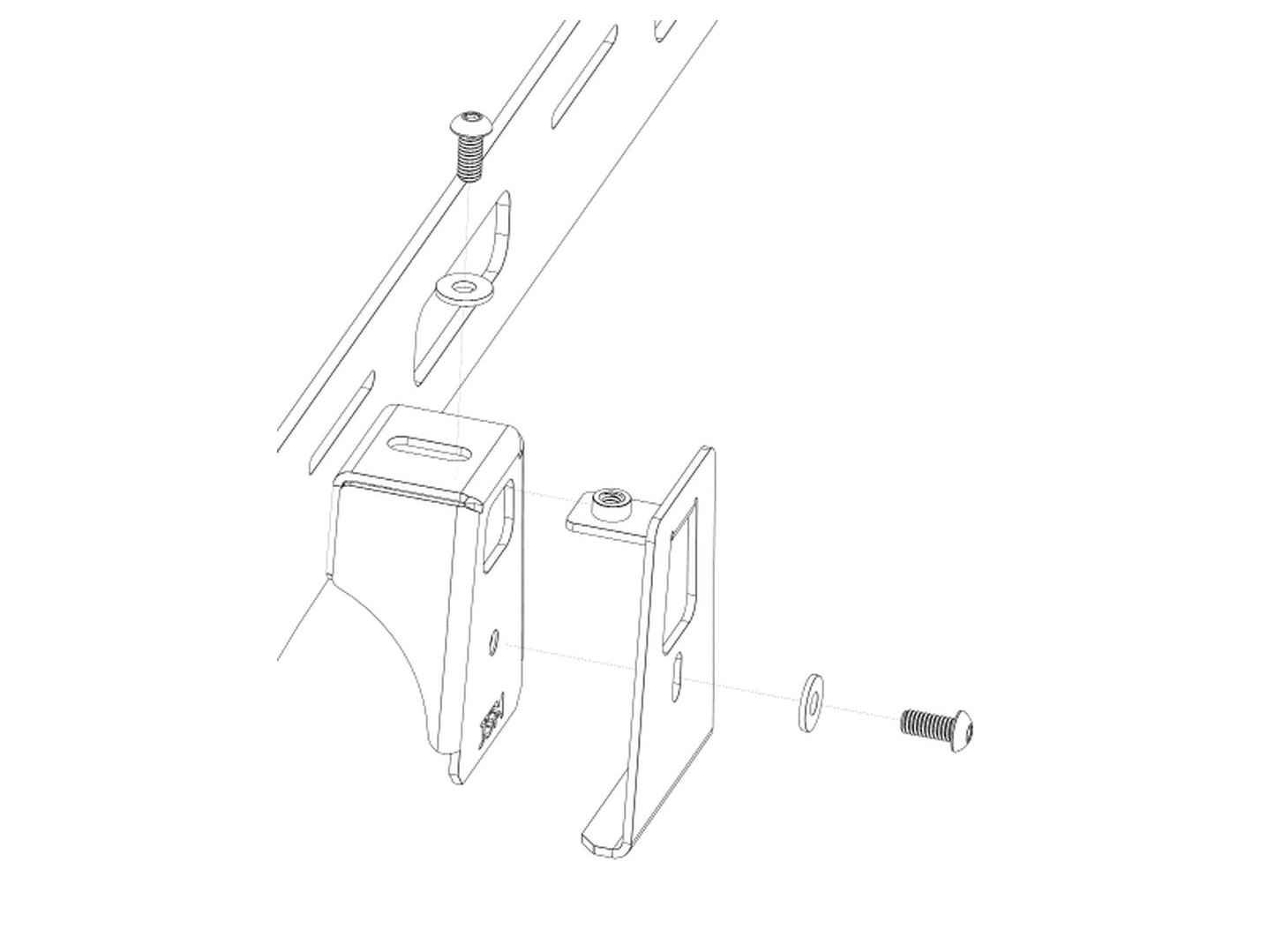
Clamp the rack to the roof with the outer mounts. Pass the long piece of each outer mount through the hole in the top of the inner mount. Loosely bolt them together with a 5/16-18 x 1 in bolt and 1/4 in USS washer through the top, and a 5/16-18 x 3/4 in bolt and washer through the side (red thread locker on the side bolt is recommended). Tighten the top bolt, then the side.
Video timestamp: 5:37


With everything roughly in place, adjust the mounts to get an equal gap between the bottom of the side rails and the vehicle along the whole roof. Then tighten them fully against the side rails.
Video timestamp: 6:24


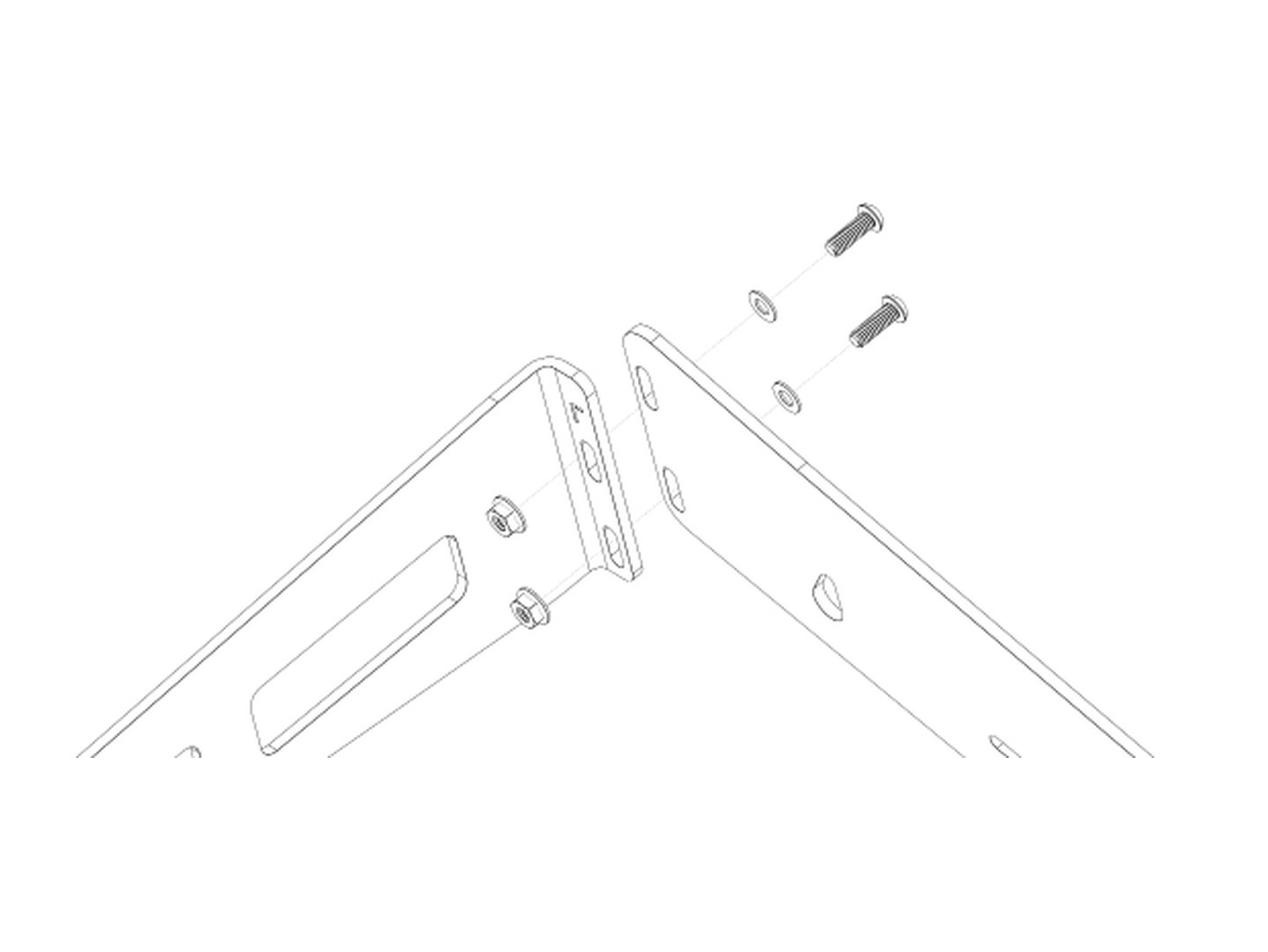
Push the front and rear fairings down tight to the roof and tighten everything fully. We recommend clear 3M paint protection film anywhere the edge trim or fairings touch the roof, to protect the paint from dirt and debris.
Video timestamp: 9:12


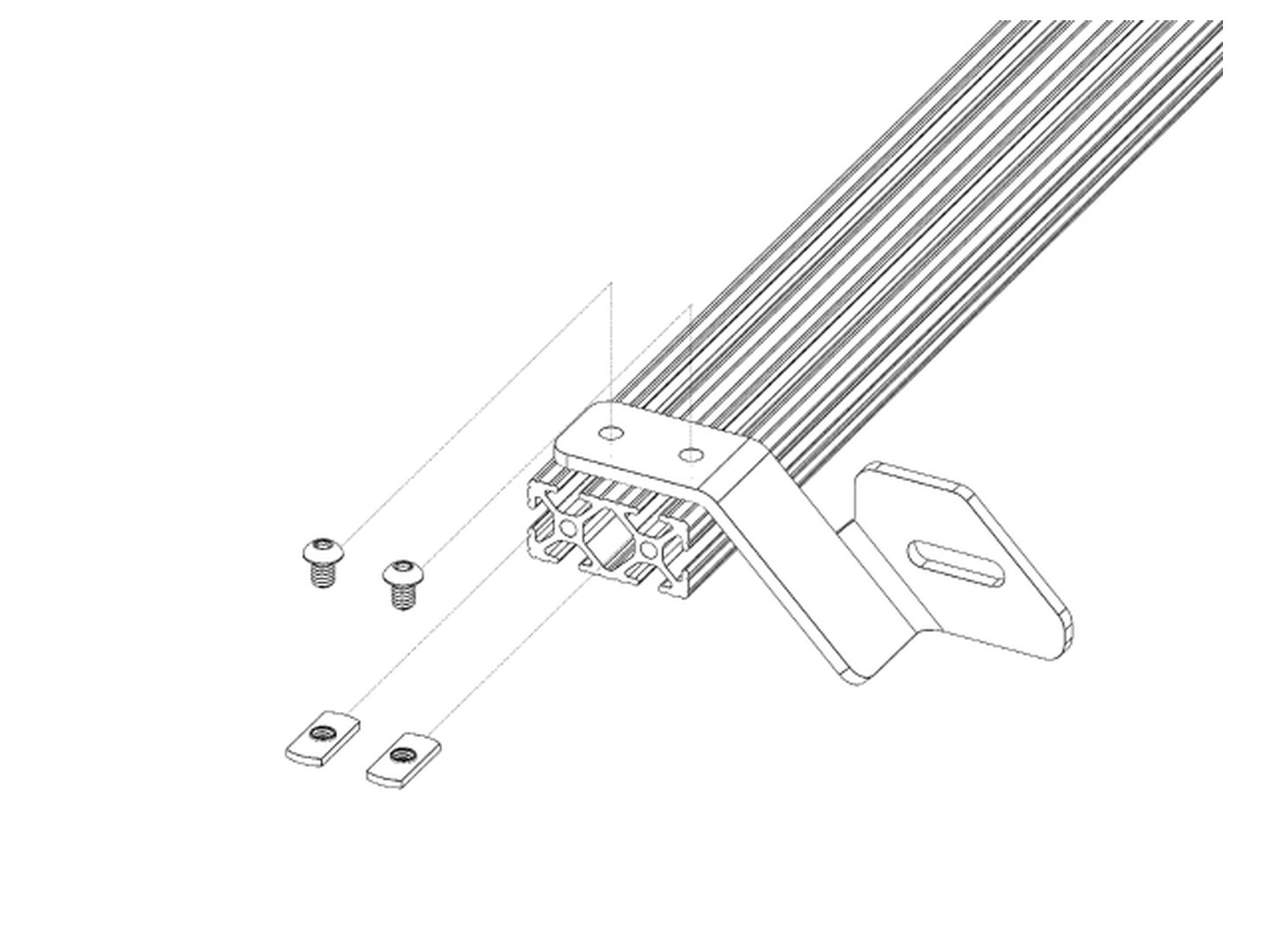
Optional 40 in light bar: slide 2 t-nuts into each channel on the top of the front-most crossbar, set a mount over each pair and loosely bolt on with 1/4-20 x 3/8 in button heads. Mount the light bar with its own hardware and center it on the rack. You may need to adjust the crossbar in its slot too.
Video timestamp: 10:01

Confirm all hardware is tightened. Congrats! Your installation of the Jeep JL Roof Rack is now complete. Enjoy!
15 Min - SOPs, Guide

6 Min - Guide
2 Min - Guides and Video
10 Min - Guides and Video
Suggest an improvement, or report a bug, direct from the app/platform.
Connect GembaDocs with external systems